Static bundles
Once approved tests pass, Golf can copy the selected static files into private R2 storage. A preview Worker checks sign-in and repository access before serving them.

Give reviewers a temporary, private preview of a tested commit. Cloudflare Golf supports static sites and approved Worker apps.
Alpha · October 2026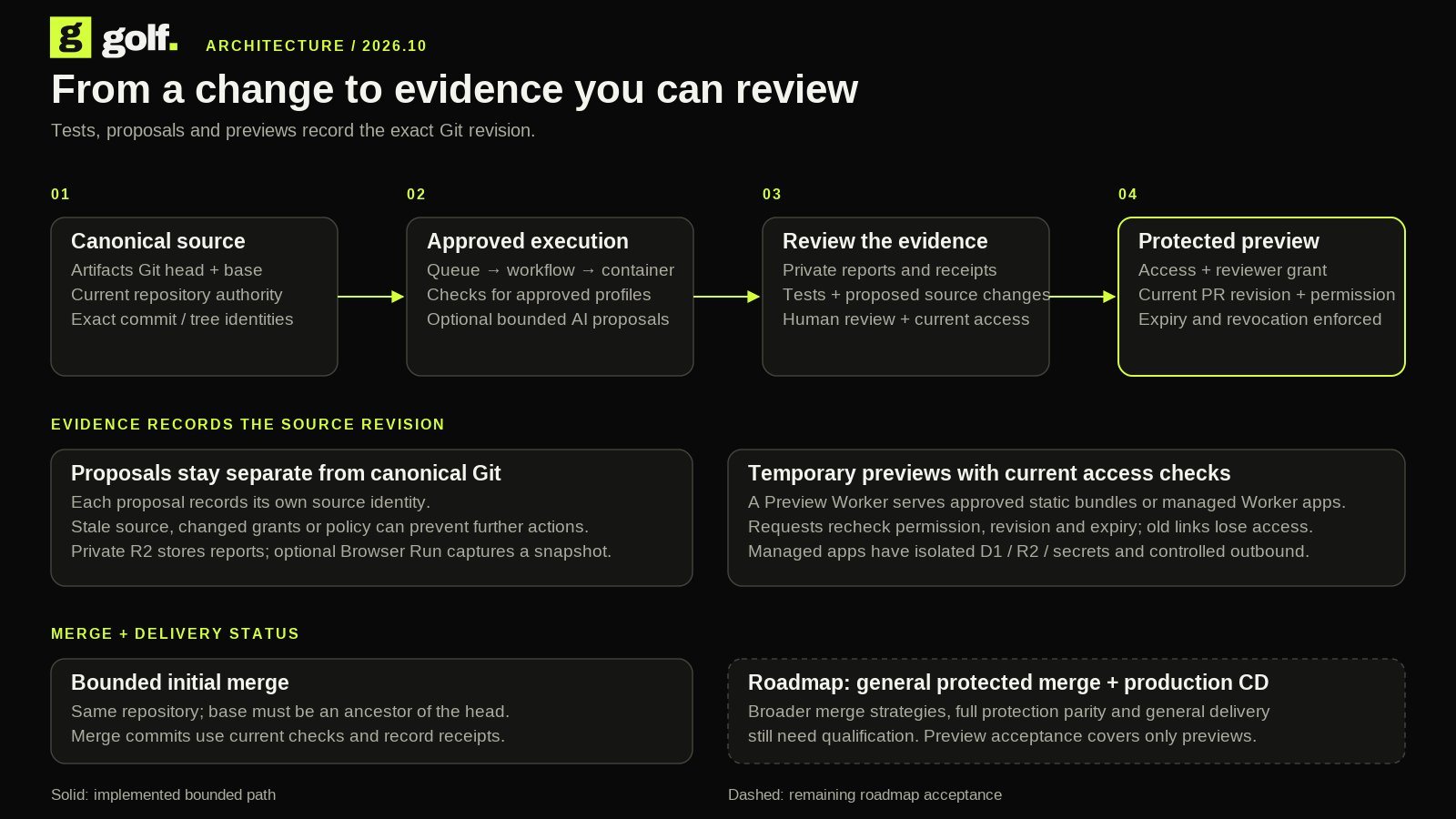
A preview is a temporary running copy of a change. When agents open changes faster than anyone can read every line, clicking through one is often the fastest review.
Once approved tests pass, Golf can copy the selected static files into private R2 storage. A preview Worker checks sign-in and repository access before serving them.
Workers for Platforms can run an approved, prebuilt Worker app. Each preview gets its own data and file storage, and outgoing requests follow its network restrictions.
Choose which branches may publish previews, how long they last and how many may run. Browser Run can save a screenshot of static HTML; full interactive testing is unfinished.
A passing test or a working preview informs review. Shipping to production also needs the right permissions and an operating plan.
Cloudflare Golf merges branches in the same repository; a merge whose target hasn’t diverged is proven on hosted. Merges of diverged branches and squash, with conflicts listed by path, are built and await hosted verification. Forks, drafts and locked targets aren’t supported on this path.
Enforcement of every required test and approval is incomplete, so check the current status before relying on native protected merging. Landing without a global lock is in progress for agentic mode (AM-4).
Hosted tests used approved pipeline environments to deploy into a test Kubernetes cluster. General production promotion, rollback and arbitrary applications still need testing.
Explore the local and Cloudflare browser simulations, or install Golf for real work.