Local / Docker Compose
Start the stack with Compose. Golf opens on localhost:8080 and Forgejo on localhost:3001. Data lives in persistent volumes, so it survives restarts.
Run the portable core on Docker Compose or Kubernetes with Forgejo, Go and PostgreSQL. Same interface, your servers. Cloudflare and AI are optional.
Alpha · October 2026Compose and Helm run the same stack: Golf, Forgejo and PostgreSQL. Pick the one your team already knows how to operate.
Start the stack with Compose. Golf opens on localhost:8080 and Forgejo on localhost:3001. Data lives in persistent volumes, so it survives restarts.
Add Docker workers for supported build and test jobs, with private storage for their output. Connect coding agents on your own machines; each needs its own account and task setup.
The chart installs the core services and can point at an external Forgejo or PostgreSQL. You bring images, credentials, storage, HTTPS and a cluster that enforces network policies. Runners are configured separately.
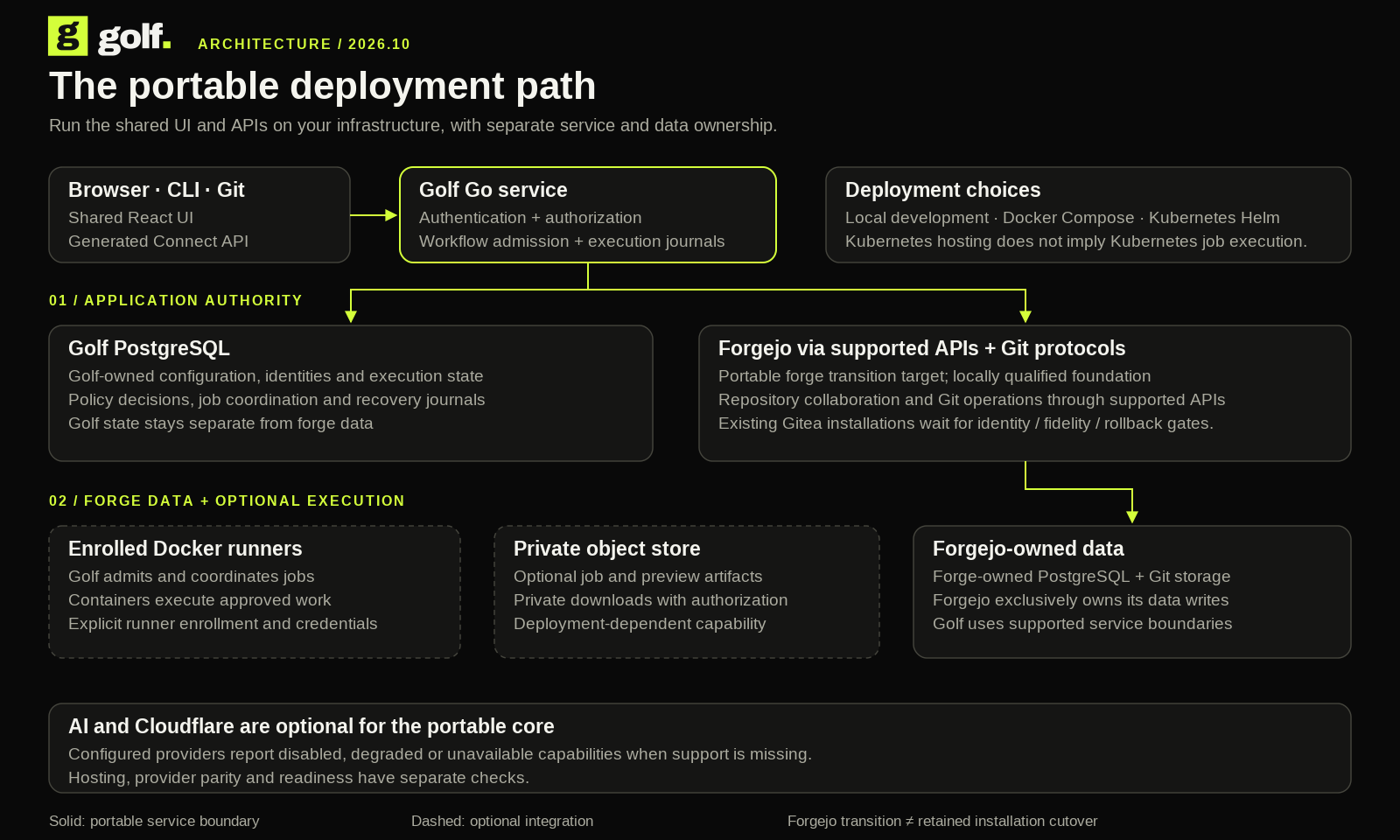
The agent-speed work starts on Cloudflare, where Git already lives on object storage. The portable core keeps the same workflow and the same rule: people decide what lands.
Start from a fresh Forgejo and verify users, permissions and collaboration data before you move anything. A migration rehearsal lost a private pending review, so that migration isn’t cleared for use yet.
Backups must cover Golf, Forgejo, both databases and the encryption keys as one set. Full restore of the current Forgejo stack and Kubernetes disaster recovery still need testing.
Add individual supported Cloudflare integrations to the portable stack. Core data stays in Forgejo and PostgreSQL.
Click through the local and Cloudflare browser simulations, or install Golf on your own machines.